
TL;DR:
- Upgrading POS systems can improve efficiency by 15-22 percent and save millions through better inventory management.
- Proper assessment, planning, staff training, and phased implementation are vital for successful POS upgrades.
- Continuous review and staff involvement maximize the benefits and sustained performance of retail POS systems.
Slow tills, missed sales, and frustrated staff are not just inconveniences — they are symptoms of a system that has outgrown your business. Retailers who upgraded their point of sale technology have seen 15–22% efficiency gains after implementation, and some UK chains have saved millions annually through smarter inventory management. If your current setup causes queues, reporting headaches, or stock discrepancies, this guide gives you a clear, practical path from where you are now to a modern, reliable POS system that works as hard as you do.
Table of Contents
- Assessing your retail technology needs
- Selecting the right POS system and hardware
- Implementing your POS step by step
- Troubleshooting and avoiding common mistakes
- Measuring impact and optimising for growth
- A retail expert’s take: what most POS guides miss
- Upgrade your retail technology with trusted experts
- Frequently asked questions
Key Takeaways
| Point | Details |
|---|---|
| Start with clear needs | Defining your tech and business requirements first makes every other POS decision easier and better informed. |
| Invest in compatible solutions | Always check software and hardware compatibility to avoid costly mistakes or operational downtime. |
| Train and test before launch | Training your team and dry-running the system prevents service disruptions for your customers. |
| Measure, improve, repeat | Track results from day one, then continuously optimise to maximise the return on your POS investment. |
Assessing your retail technology needs
Before you spend a penny on new hardware or software, take stock of what you actually have. A proper audit saves you from buying technology that solves the wrong problem. Walk through a typical trading day and note every point where the system slows you down, confuses staff, or fails to give you the data you need.
Start by asking these core questions:
- Which tasks take longer than they should at the till?
- Does your current system integrate with your accounting software or e-commerce platform?
- Can you pull accurate stock reports on demand?
- How does your setup perform during peak hours or when the internet drops?
- Are you planning to expand to multiple sites or add more users?
These questions reveal your real requirements, not just your wish list. Many retailers fall into the trap of buying a feature-rich system when they actually need reliability and speed above all else.
Once you have identified the gaps, map out your integration needs. If you use accounting software like Xero or Sage, your new POS must connect to it cleanly. The same applies to any e-commerce platform you run alongside your physical shop. Poor planning here is one of the common pitfalls that derail upgrades, including incompatible hardware, inadequate training, and ignoring offline capability.
Set clear, measurable goals before you commit. For example, reduce average transaction time by 20%, eliminate weekly stock discrepancy reports, or enable self-service reporting for managers. Concrete targets make it easier to evaluate systems and measure success after go-live. Use a POS technology checklist to structure your requirements before approaching any supplier.
| Goal | Metric to track | Target |
|---|---|---|
| Faster transactions | Average checkout time | Under 45 seconds |
| Stock accuracy | Shrinkage rate | Below 1% |
| Reporting speed | Time to generate daily report | Under 2 minutes |
| Scalability | System users supported | 10 or more |
Pro Tip: Always plan for where your business will be in three years, not just where it is today. A system that handles one till fine but cannot scale to five is a costly mistake.
Selecting the right POS system and hardware
With your requirements mapped out, you are ready to pinpoint the best technology fit. The hardware you choose sets the physical foundation of your operation, so getting this right matters enormously.
For most UK retail stores, a core setup includes:
- POS terminal or tablet for processing transactions
- Receipt printer for customer and kitchen copies
- Barcode scanner for fast, accurate product lookup
- Cash drawer for secure cash handling
- Card payment terminal integrated directly with your POS software
Optional but valuable additions include customer-facing displays, digital signage, and self-checkout kiosks for higher-volume stores. Explore top POS hardware options to compare what suits your shop layout and footfall.
On the software side, UK retailers must prioritise VAT compliance above everything else. Your system should calculate and report VAT automatically, support Making Tax Digital requirements, and handle multiple VAT rates without manual workarounds. Integrated card payments are equally non-negotiable — a system that requires separate reconciliation between your till and card machine creates daily errors. POS software for retail should also include stock management, sales reporting, and staff permissions as standard.
As a practical guide, setting up a POS system for UK retail involves choosing software and compatible hardware together, ensuring VAT compliance and payment integrations are confirmed before purchase.
| Feature | Essential | Optional |
|---|---|---|
| UK VAT compliance | Yes | |
| Integrated card payments | Yes | |
| Inventory management | Yes | |
| Offline mode | Yes | |
| Customer loyalty tools | Yes | |
| Multi-site management | Yes | |
| Digital signage integration | Yes |
Review POS solution case studies to see how retailers similar to yours have configured their setups for maximum impact.
Pro Tip: Always confirm hardware and software compatibility in writing before you purchase. Suppliers should be able to provide a tested compatibility list, not just a verbal assurance.
Implementing your POS step by step
After finalising your POS choices, it is time to put the plan into action. A structured approach prevents the chaos that comes from rushing installation on a busy trading day.
- Back up all existing data. Export your product catalogue, customer records, and sales history before touching anything. Store copies in at least two locations.
- Prepare your physical space. Plan cable routing, power socket positions, and counter layout before hardware arrives. Poor placement causes ergonomic problems and slows staff down.
- Install and connect hardware. Set up your terminal, printer, scanner, and cash drawer. Follow manufacturer guides and test each peripheral individually before connecting them as a system.
- Configure your software. Import your product data, set up VAT rates, configure staff permissions, and connect your payment terminal. Work through the POS workflow steps methodically rather than rushing to go live.
- Train your staff. Cover till operation, stock adjustments, refunds, and end-of-day reporting. Training on the actual system, not a demo environment, produces better results.
- Run a trial period. Operate the new system alongside your old one for at least one full trading day before switching over completely.
The results of a well-executed implementation speak for themselves. Dunelm’s mobile POS upgrade yielded a 135% sales increase, and UK retailers consistently report meaningful gains in speed and accuracy after proper rollouts. Understanding the benefits of POS software helps you set realistic expectations for your own go-live.
“The retailers who see the fastest results are those who treat implementation as a project, not a task. Deadlines, owners, and sign-off criteria make all the difference.”
Pro Tip: Schedule your go-live for a quieter trading period, such as a Tuesday morning rather than a Friday afternoon. This gives staff time to settle in without peak-hour pressure.

Troubleshooting and avoiding common mistakes
Implementation is not always smooth, and knowing what to expect helps you handle hiccups without panic. The most frequent problems fall into a predictable set of categories.
Common pitfalls to watch for include:
- Poor data migration: Product names, prices, and stock levels that transfer incorrectly cause immediate till errors. Always validate a sample of records before going live.
- Incompatible hardware: A scanner or printer that is not on the software’s tested list may work intermittently or not at all. Check the POS hardware checklist before finalising purchases.
- Inadequate staff training: Undertrained staff revert to workarounds that corrupt your data. Invest in at least half a day of hands-on practice per team member.
- Integration failures: ERP, accounting, and e-commerce connections that are not tested thoroughly before go-live cause reconciliation nightmares. Test with real transactions, not just dummy data.
- Ignoring offline capability: This is the mistake that hurts most visibly. These common pitfalls are well documented, and offline mode is consistently the most overlooked.
Connectivity is a particular vulnerability. Contactless payment failures from connectivity issues or card limit problems cause 20–30% queue delays in affected stores. The fix is straightforward: enable offline mode on your POS software, keep a 4G backup router on standby, and train staff on manual fallback procedures.
For ongoing accuracy, run cycle counts regularly rather than waiting for annual stock takes. Spot-checking 10–15% of your product range each week catches discrepancies before they compound. Regular system testing, including payment terminal checks and printer alignment, prevents small faults from becoming trading-day crises.
Pro Tip: Keep a simple fault log at the till. When staff note issues as they happen, you build a pattern that makes root-cause analysis much faster.
Measuring impact and optimising for growth
Your new system is up and running — now it is time to see the results and drive even more value. The reporting tools built into modern POS software are only useful if you actually use them.
Key metrics to monitor after go-live:
- Shrinkage rate: Are stock losses reducing over time?
- Average transaction value: Is upselling or product placement having an effect?
- Checkout speed: How does average transaction time compare to before?
- Overstock levels: Are you ordering more accurately based on real sales data?
- Staff performance: Which team members process the most transactions per hour?
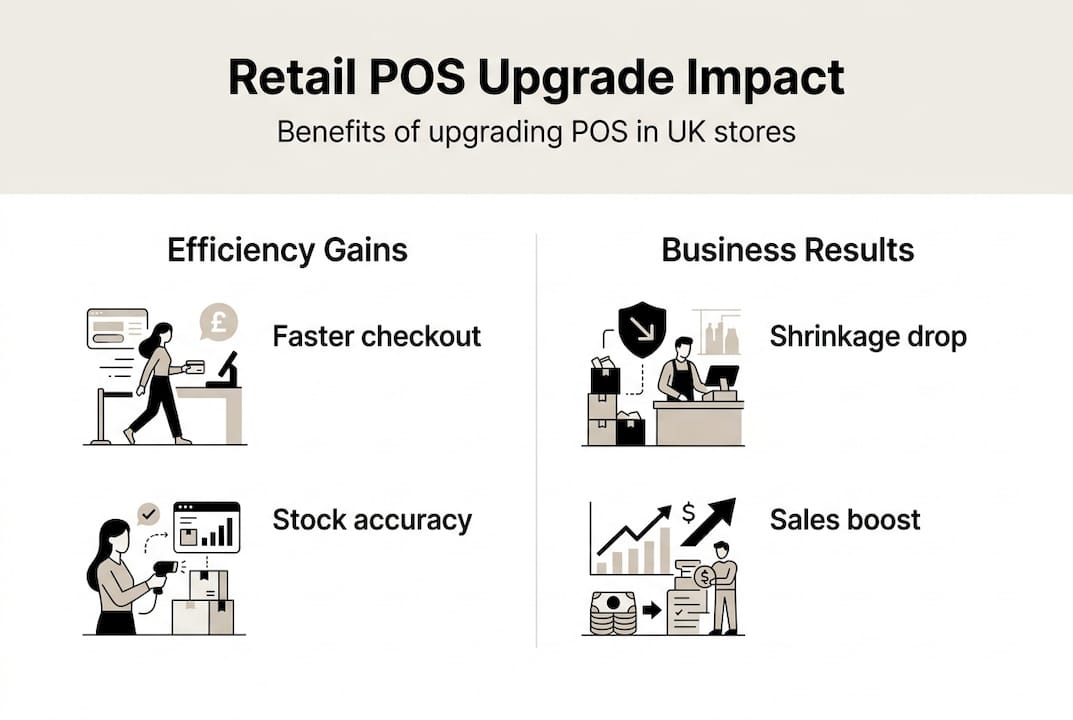
Empirical data from UK retail implementations shows that POS systems reduce shrinkage by 29%, boost stock turnover by 35%, and cut overstock by 42% when businesses run weekly cycle counts and act on the data.
Set a monthly review cadence. Pull your sales reports, compare them against the previous period, and identify one or two areas to improve. This disciplined approach compounds over time.
| Metric | Typical improvement after POS upgrade |
|---|---|
| Shrinkage rate | Reduced by up to 29% |
| Stock turnover | Increased by up to 35% |
| Overstock levels | Reduced by up to 42% |
| Operational efficiency | 15–22% gain |
| Sales performance | Up to 135% in optimised deployments |
The stores that extract the most value from their POS investment are those that treat reporting as a weekly habit, not an annual exercise.
A retail expert’s take: what most POS guides miss
Most articles about POS upgrades focus entirely on technology, as if buying the right terminal automatically solves your operational problems. In our experience working with UK retailers across multiple sectors, the technology is rarely the hard part.
The real differentiator is staff buy-in. When your team understands why the new system matters and feels involved in the transition, adoption is faster, errors are fewer, and the data you collect is cleaner. Retailers who achieve the best real-world POS outcomes involve their staff from the assessment stage, not just the training day.
The other overlooked factor is continuous refinement. Too many businesses install a POS system, declare the project done, and never revisit their configuration. Product categories go stale, reporting dashboards are never opened, and integrations drift out of sync. The retailers who see sustained gains treat their POS as a living tool, reviewing and adjusting it quarterly. Technology enables improvement. People and process deliver it.
Upgrade your retail technology with trusted experts
Putting these steps into practice is far easier when you have the right partner behind you. At YCR Distribution, we supply POS software solutions and POS terminals built for UK retail, backed by over three decades of hands-on experience.

Whether you are setting up your first system or replacing ageing hardware, our team can help you select compatible equipment, configure software to your exact requirements, and resolve issues quickly. We offer same-day dispatch, next-day delivery, and dedicated support for troubleshooting POS hardware when you need it most. Get in touch with our team today to discuss your requirements and find the right solution for your store.
Frequently asked questions
What are the must-have features for a retail POS system in 2026?
In 2026, the essential features are UK VAT compliance, integrated card payments, robust sales reporting, inventory management, and reliable offline capability to keep trading when connectivity drops.
How long does it take to install and go live with new POS technology?
Most UK retail stores can implement and start using a new POS system within 2–3 days, provided hardware is compatible and data is prepared in advance to avoid migration delays.
What are common mistakes when switching POS systems?
The biggest pitfalls are poor data migration, failing to check hardware compatibility, skipping thorough staff training, and not setting up an offline backup for connectivity failures.
How much can upgrading POS improve retail efficiency?
Upgrading your POS can deliver 15–22% efficiency gains, reduce shrinkage by 29%, and boost stock turnover by up to 35% in UK stores that use reporting tools consistently.