
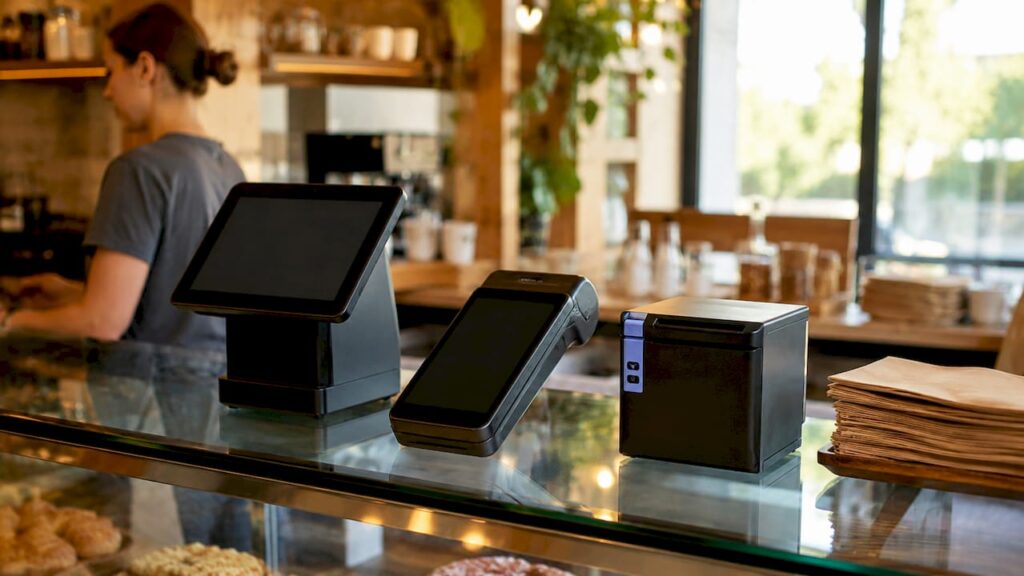
Types of compact POS terminals: a practical guide
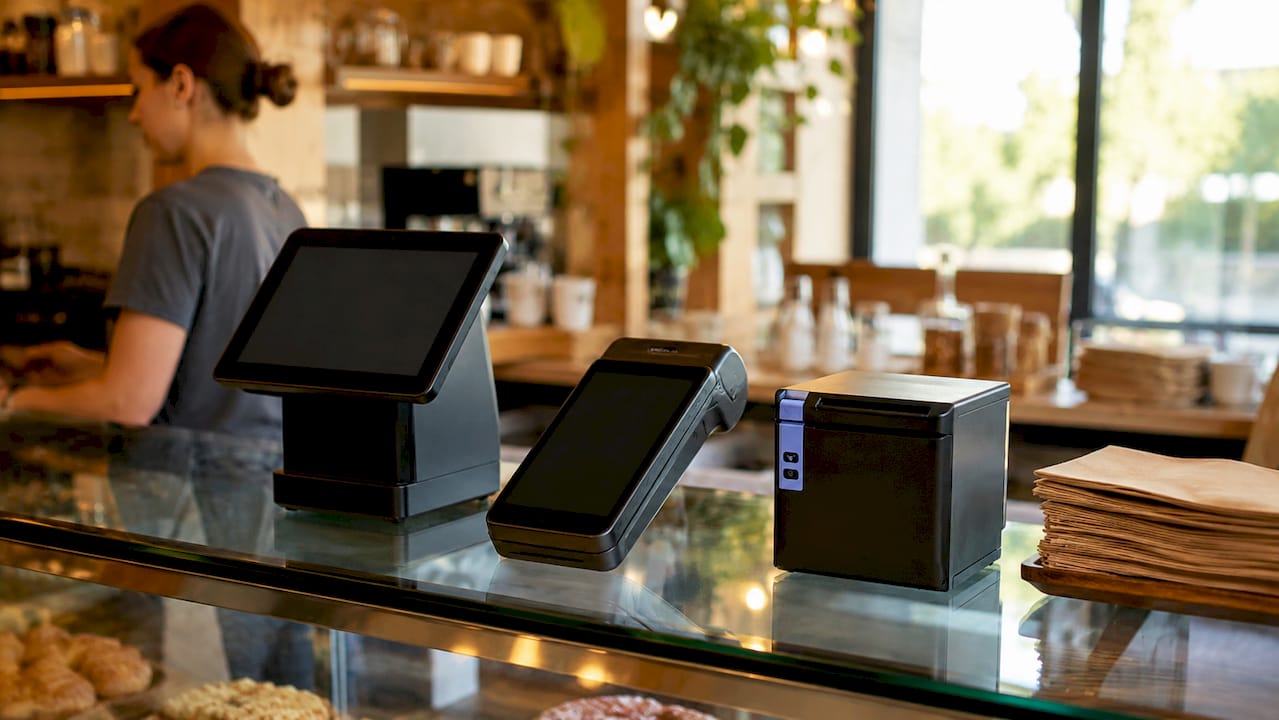
Compact POS terminals are space-efficient point of sale systems that combine payment processing, sales management, and receipt printing into a single device small enough for a crowded café counter or a market stall. The industry term for these devices spans several categories, from mobile POS options to mini countertop units, and understanding the types of compact POS terminals available is the fastest way to match the right hardware to your business. Retail and hospitality operators increasingly favour these solutions because full-size countertop stations typically cost £800 to £2,500 per station and demand dedicated counter space that smaller businesses simply cannot spare.
1. What are the main types of compact POS terminals?
Compact POS systems fall into five clear categories. Each serves a different operational context, and knowing the distinctions saves you from buying hardware that does not fit your workflow.
Mobile POS terminals run on smartphones or tablets via a dedicated app and a card reader attachment. They are the lightest and most affordable entry point, often requiring no upfront hardware cost beyond the card reader itself. Pop-up retailers, market traders, and food truck operators rely on these because the entire system fits in a jacket pocket.

Smart all-in-one terminals pack a touchscreen, integrated card reader, and receipt printer into a single unit. Devices in this category, such as the PAX A920Pro Duo, run Android 14 with PCI 7 compliance and include a customer-facing secondary screen. That combination of security and dual-screen interaction makes them well suited to hospitality counters and busy retail checkouts.
Mini countertop terminals are fixed devices designed for tight spaces. They deliver full POS functionality, including inventory management and staff tracking, without the footprint of a traditional station. The PAX Mini POS, for example, features a 5.5-inch HD+ touchscreen with NFC, chip and PIN, magnetic stripe, and QR code payment support on a quad-core Android 14 processor.
Modular handheld devices separate the payment terminal from peripheral hardware, letting you add a barcode scanner or printer as needed. This modularity suits businesses that need flexibility across different service points, such as a restaurant that takes tableside payments and also manages a takeaway counter.
Cloud-based versus local hardware-centric terminals represent a software architecture choice rather than a physical form factor. Cloud terminals sync data in real time across multiple sites and require a reliable internet connection. Local models store data on the device and process transactions offline, which matters in venues with patchy connectivity.
2. Key features of compact POS terminals worth comparing
The features of compact POS terminals determine whether a device genuinely replaces a full-size station or merely handles basic card payments.
Touchscreen size and ergonomics affect speed at the till. A 5.5-inch screen suits single-operator counters, while an 8-inch display gives enough room for multi-item orders and customer-facing menus. Ergonomic weight distribution matters too: a device that feels balanced in one hand reduces fatigue during long floor shifts.
Integrated receipt printing removes the need for a separate printer cable and saves counter space. Not all compact terminals include a built-in printer, so confirm this before purchase if printed receipts are a legal or customer-service requirement for your business.
Wireless connectivity is non-negotiable for mobile use. Look for 4G/LTE as the primary connection, with Bluetooth and Wi-Fi as fallbacks. Handheld terminals with wireless connectivity improve floor service efficiency, particularly in hospitality settings that need tableside payment and fast checkout.
Inventory and staff management built into the terminal removes the need for a separate back-office computer. Many modern smart terminals pack inventory tracking, staff clock-in, and sales reporting into the device itself. That capability redefines what a compact device can do for a small business.
Security and compliance standards protect both you and your customers. PCI DSS compliance is the baseline requirement for any device accepting card payments in the UK. Terminals running current Android versions receive regular security patches, which reduces your exposure to payment fraud.
Pro Tip: Before committing to any compact terminal, check whether the device supports your existing peripheral hardware, including barcode scanners and cash drawers. Proprietary ecosystems can lock you into expensive replacements.
3. How much do compact POS systems cost?
Pricing for compact POS systems spans a wide range, and the upfront hardware cost is only part of the picture.
| Cost component | Entry-level | Mid-range | Premium |
|---|---|---|---|
| Hardware purchase | Free app on existing device | £220–£500 per terminal | £500–£720+ per terminal |
| Monthly software fee | £0 (transaction fees apply) | £20–£60 per month | £60–£250+ per month |
| Payment processing rate | ~2.5% per transaction | 1.5–2.5% per transaction | Negotiated rates |
| Peripheral add-ons | Card reader only | Scanner or printer | Full peripheral suite |
Smart terminals cost roughly £220 to £720 upfront, with software subscriptions ranging from £0 on basic plans to over £240 monthly for advanced tiers. The £0 monthly fee option relies on transaction fees of around 2.5%, which adds up quickly at higher volumes. A business processing £20,000 per month in card sales pays £500 in transaction fees at that rate, which often exceeds the cost of a paid software plan.
Proprietary hardware requirements are a hidden cost that catches many business owners off guard. Some providers require you to use their branded printers or scanners, which eliminates the option to source cheaper compatible peripherals. Always check the hardware compatibility list before signing up to any software platform.
Pro Tip: Calculate your monthly card transaction volume before choosing between a free plan with transaction fees and a paid subscription. The break-even point is usually lower than you expect.
4. Choosing the right compact terminal for your business
The right compact POS device depends on your physical space, transaction volume, and the complexity of your service model.
Mobile POS for flexible sales points suits pop-up shops, food trucks, farmers’ market stalls, and any operation without a fixed counter. A smartphone with a card reader attachment and a cloud-based app gives you a fully functional POS terminal for a fraction of the cost of fixed hardware. The trade-off is screen size and the absence of an integrated printer.
Mini countertop terminals for small retail counters work well as primary tills in convenience shops, independent boutiques, and small cafés. They occupy minimal counter space while supporting full inventory management, staff login, and end-of-day reporting. They also serve as affordable second registers at peak trading times without the cost of a full countertop station.
Handheld all-in-one devices for hospitality floor service change the customer experience. A server carrying a handheld terminal takes orders, processes payments, and prints receipts at the table without returning to a fixed till. That reduces table turn time and removes a common source of service errors.
When matching a terminal to transaction volume, consider the following:
- Low volume (under 50 transactions per day): a mobile POS app on a tablet or smartphone is sufficient.
- Medium volume (50–200 transactions per day): a mini countertop terminal with integrated card reading and printing handles the load reliably.
- High volume (over 200 transactions per day): a smart all-in-one terminal with a fast processor, dual screens, and full peripheral support is the practical choice.
- Multi-site operations: cloud-based terminals with centralised dashboards give you real-time visibility across all locations from one login.
Modular systems suit businesses that expect their service model to change. A restaurant that plans to add a takeaway counter or a retail shop considering a mobile sales point at events can start with a base terminal and add peripherals as the business grows. Matching your POS hardware choice to your current and projected workflow avoids the cost of replacing hardware too soon.
Key takeaways
The most effective compact POS terminal combines the right form factor with full transaction functionality, matching your space, volume, and service model rather than simply being the smallest device available.
| Point | Details |
|---|---|
| Five main categories exist | Mobile, smart all-in-one, mini countertop, modular handheld, and cloud vs local are the core types. |
| Features vary significantly | Touchscreen size, integrated printing, wireless connectivity, and compliance standards differ across categories. |
| Total cost goes beyond hardware | Transaction fees, software subscriptions, and peripheral compatibility all affect long-term spend. |
| Volume determines the right fit | Low-volume businesses suit mobile apps; high-volume operations need fast all-in-one smart terminals. |
| Peripheral compatibility matters | Proprietary ecosystems can increase costs; always verify scanner and printer compatibility before purchase. |
What I have learnt from watching compact POS evolve
The crossover between power and portability in modern terminals has happened faster than most operators anticipated. Three years ago, a business owner choosing a compact device accepted real compromises: limited app support, slow processors, or no integrated printing. That trade-off has largely disappeared. Devices running current Android versions with enterprise-grade processors now handle inventory, staff management, and multi-payment-type acceptance without breaking a sweat.
The area where I still see business owners make costly mistakes is vendor ecosystem evaluation. A terminal that looks affordable on the hardware price tag can become expensive when the software platform requires proprietary peripherals or charges elevated transaction fees. My advice is to map your full annual cost, including processing fees, software, and any required accessories, before signing any agreement.
The future of compact terminals points towards deeper integration with digital ordering, loyalty programmes, and kitchen display systems. Businesses that choose terminals with open APIs and broad peripheral compatibility today will find it far easier to add these capabilities without replacing their hardware. Upfront cost matters, but the operational efficiency gains from choosing the right ecosystem compound over time in ways that are genuinely worth the extra research.
— John
Ycr’s compact POS accessories worth knowing about
Ycr has supplied POS hardware to UK retail and hospitality businesses for over three decades, and the accessories that sit alongside compact terminals matter as much as the terminals themselves.
The HPRT POS80H 5-in-1 thermal printer connects to compact terminals via multiple interfaces and produces fast, clear receipts without taking up significant counter space. For operations needing flexible connectivity, the HPRT POS80H Cube supports USB, serial, and Ethernet connections, making it compatible with a wide range of compact POS setups. The iMin Heron 1 POS holder keeps compact terminals at the right angle for both operator and customer, reducing awkward handling at busy counters. Ycr offers same-day dispatch and next-day delivery across the UK, so your setup does not wait.
FAQ
What are POS terminals used for in retail?
POS terminals process sales transactions, accept card and contactless payments, and manage inventory and receipts. Modern compact versions also handle staff management and sales reporting from a single device.
What is the difference between mobile POS and a smart terminal?
A mobile POS runs on a smartphone or tablet via an app and card reader attachment. A smart terminal is a dedicated device with an integrated touchscreen, card reader, and often a built-in receipt printer.
How much does a compact POS terminal cost in the UK?
Hardware costs range from free app-based solutions on existing devices to dedicated terminals priced between roughly £220 and £720. Software fees range from £0 on basic plans to over £240 per month for advanced features, with transaction fees typically around 2.5% on free plans.
Are compact POS terminals secure enough for card payments?
Yes, provided the device meets PCI DSS compliance standards. Terminals running current Android versions with regular security updates, such as those with PCI 7 certification, meet the requirements for accepting card payments in the UK.
Can a compact POS terminal replace a full countertop station?
For most small to medium retail and hospitality businesses, a smart all-in-one compact terminal handles the same functions as a full countertop station, including inventory, staff tracking, and multi-payment acceptance, in a significantly smaller footprint.